

Documentation Index

Fetch the complete documentation index at: https://docs.anduril.atlas.arenaphysica.com/llms.txt

Use this file to discover all available pages before exploring further.
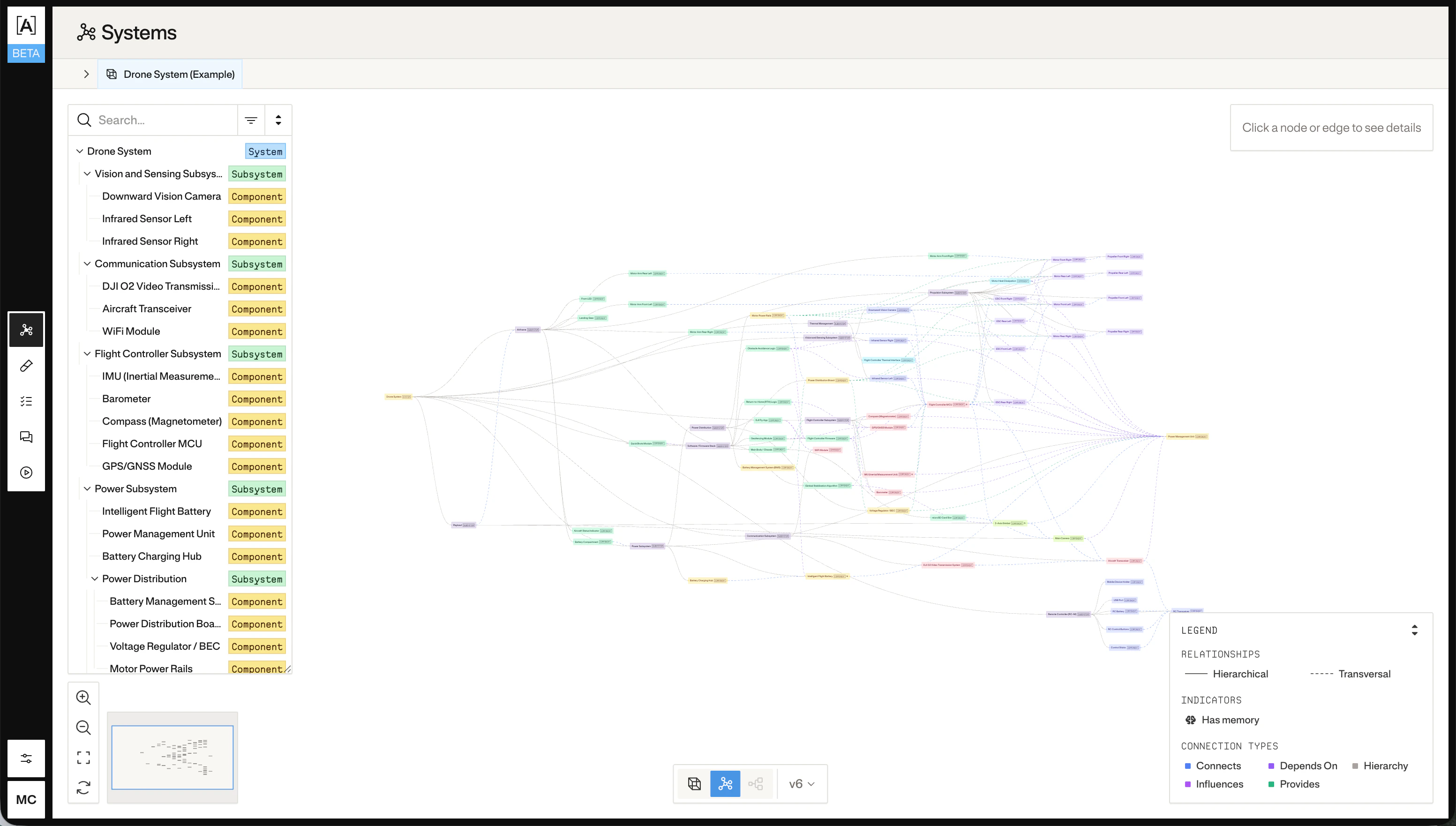
System metagraph view

1. Upload documents

Upload PDFs, schematics, specs, or any reference files that describe your system to the Atlas data catalog. Each upload returns a dataset_name — capture it; you’ll pass it to the metagraph update job in the next step.
curl -X POST "$ATLAS_URL/api/v1/uploads/atlas_data" \
  -H "Authorization: Bearer $ATLAS_TOKEN" \
  -F "file=@system_spec.pdf"
The response includes a dataset_name for each uploaded file:
{
  "message": "Upload completed: 1 succeeded, 0 failed",
  "total_files": 1,
  "successful": 1,
  "failed": 0,
  "results": [
    {
      "file_name": "system_spec.pdf",
      "success": true,
      "dataset_name": "system_spec.pdf",
      "error": null
    }
  ]
}
Upload multiple files in one request with -F "files=@a.pdf" -F "files=@b.pdf", or in separate requests — each comes back with its own dataset_name. The endpoint is synchronous: when it returns, the bytes are in the catalog and ready to use in step 2.
Using the Atlas web UI instead of the API? The metagraph update form has a built-in file-upload field — drop your files into it and submit. Atlas handles the upload and the context_files reference in one step.

2. Create a metagraph update job

The job only reads the documents you pass to it via context_files — it does not scan a system’s prior uploads. Pass the dataset_names from step 1.
curl -X POST "$ATLAS_URL/api/v1/jobs" \
  -H "Authorization: Bearer $ATLAS_TOKEN" \
  -H "Content-Type: application/json" \
  -d '{
    "job_type": "metagraph_update",
    "config": {
      "job_type": "metagraph_update",
      "system_id_or_name": "<system_id>",
      "context_files": ["system_spec.pdf"],
      "additional_context": "Focus on the power distribution subsystem and its interfaces."
    }
  }'
Save the uuid from the response:
export JOB_ID="<uuid from response>"
context_files is the list of dataset_names captured in step 1. If you omit it (or pass an empty list) and don’t supply additional_context, the job completes with no metagraph changes. additional_context is optional — use it to scope or guide the analysis when you have a specific part of the system you want Atlas to model.

3. Start the job run

curl -X POST "$ATLAS_URL/api/v1/job-runs" \
  -H "Authorization: Bearer $ATLAS_TOKEN" \
  -H "Content-Type: application/json" \
  -d "{\"job_id\": \"$JOB_ID\"}"
Save the uuid from the response:
export JOB_RUN_ID="<uuid from response>"

4. Poll for completion

curl "$ATLAS_URL/api/v1/job-runs/$JOB_RUN_ID" \
  -H "Authorization: Bearer $ATLAS_TOKEN"
The status field will transition through pendingrunningcompleted (or failed). Poll until you see a terminal state.

5. Inspect the metagraph

Once the job completes, fetch the result:
curl "$ATLAS_URL/api/v1/systems/metagraphs/$SYSTEM_ID" \
  -H "Authorization: Bearer $ATLAS_TOKEN"
If you passed an existing system UUID as system_id_or_name in step 2, $SYSTEM_ID is that same value. If you passed a new name to create a system from scratch, read the resulting UUID from the job-run’s preview.metagraph_system_id field:
export SYSTEM_ID=$(
  curl -s "$ATLAS_URL/api/v1/job-runs/$JOB_RUN_ID" \
    -H "Authorization: Bearer $ATLAS_TOKEN" \
  | jq -r '.preview.metagraph_system_id'
)
The response is the full nodes-and-edges graph Atlas built from your documents. Pass an optional ?version=<n> query parameter to fetch the metagraph as it existed at a specific applied version.